> For the complete documentation index, see [llms.txt](https://usermanuals.geojit.com/llms.txt). Markdown versions of documentation pages are available by appending `.md` to page URLs; this page is available as [Markdown](https://usermanuals.geojit.com/mygeojit-mobile/ideas.md).
# Ideas
A hub of inspiration for fresh and insightful research data.
#### This Section Contains :
* [How do I access research data?](#how-do-i-access-research-data)
* [How do I view scrips that are available for intraday/BTST/MTF ?](#how-do-i-view-scrips-that-are-available-for-intraday-btst-mtf)
* [How can I access the list of illiquid/penny scrips ?](#how-can-i-access-the-list-of-illiquid-penny-scrips)
* [How can I access the list of illiquid F\&O contracts ?](#how-can-i-access-the-list-of-illiquid-f-and-o-contracts)
* [How do I view cash equivalent scrips/non-cash equivalent scrips ?](#how-do-i-view-cash-equivalent-scrips-non-cash-equivalent-scrips)
* [How do I know about upcoming trading events?](#how-do-i-know-about-upcoming-trading-events)
* [How do I know the margin requirement?](#how-do-i-know-the-margin-requirement)
* [How do I access Geojit Insights ?](#how-do-i-access-geojit-insights)
### How do I access research data?
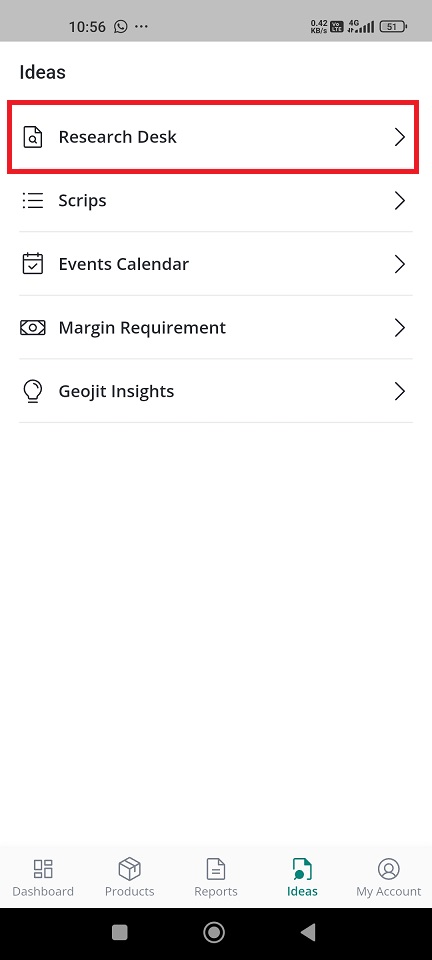
* Find '**Ideas'** tab
* You will be provided with a list of options.
* Select '**Research Desk**'.
* You can see research data on **mutual funds**, **technical & derivatives**, and **commodity reports**.
**- Mutual Funds—**Mutual fund recommendation with factsheet. If you wish to invest in any mutual funds, Click on '**Buy MF,**' and you will be navigated to the Fundsgenie website.
**- Technical & Derivatives -** [**Market Radar**](https://support.geojit.com/support/solutions/articles/89000007519-what-is-the-market-radar-report-where-can-i-get-it-)**,** [**Derivative Insights**](https://support.geojit.com/support/solutions/articles/89000007520-what-is-the-derivative-insights-report-where-can-i-get-it-)
**- Commodity Report -** A daily technical report on non-agricultural commodities.
> If you want to see Geojit's research recommendations both in Flip and MyGeojit, you need to subscribe to our research services first.[ **Click here to learn how to activate 'Free Research Services'.**](https://usermanuals.geojit.com/mygeojit-mobile/my-account/profile#how-to-subscribe-unsubscribe-free-research-services)
### How do I view scrips that are available for intraday/BTST/MTF ?
* Find **'Ideas'** tab
* You will be provided with a list of options.
* Select '**Scrips**.**'**
* You can see different categories like intraday, BTST, MTF, illiquid/penny stocks, illiquid F\&O contracts, and pledge margin.
* **Click on your preferred category** and set the parameters: **segment, exchange, margin range percentage** and **symbol**
* **Click on the 'Submit**' button.
* The result will be displayed as per your preference.
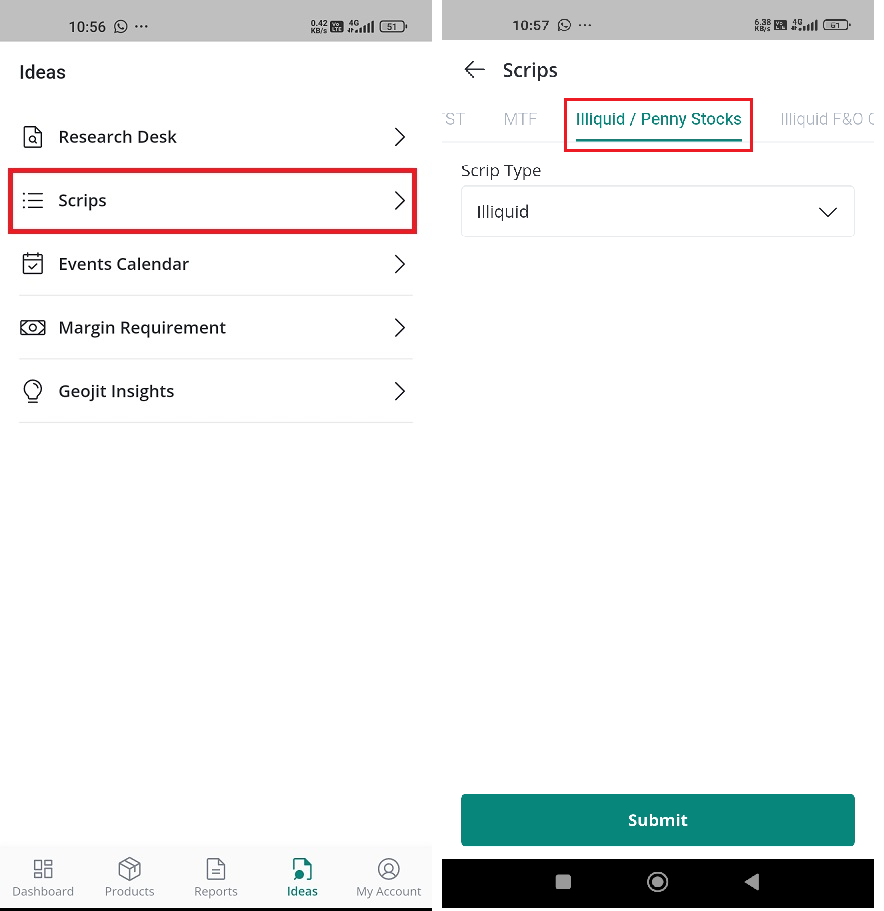
### How can I access the list of illiquid/penny scrips ?
* Find '**Ideas'** tab
* You will be provided with a list of options.
* Select '**Scrips**.**'**
* You will land on the '**Intraday'** page by default.
* Find the **illiquid /penny scrips** tab and click on it.
* Here, choose the scrip type- **illiquid** or **penny**.
* once done, click on the **search button**.
* The list of illiquid / penny scrips will be displayed.
* If you want to **search for a specific scrip** from the displayed list, then you can enter the symbol name on the search bar and click on the 'search' button.
> [**Why was my order rejected with the reason "Security is market buy suspended"?**](https://support.geojit.com/support/solutions/articles/89000016124)
### How can I access the list of illiquid F\&O contracts ?
* Find '**Ideas'** tab
* You will be provided with a list of options.
* Select '**Scrips**.**'**
* You will land on the '**Intraday'** page by default.
* Find the **illiquid F\&O contracts** tab and click on it.
* Here, choose the exchange and the instrument type.
* Once done, click on the **search button**.
* The list of illiquid F\&O contracts will be displayed.
* Details like, symbol, expiry date, strike price and contract type will be displayed.
* If you want to **search for a specific scrip** from the displayed list, then you can enter the symbol name on the search bar and click on the 'search' button.
> [**Can I trade in illiquid options contracts?**](https://support.geojit.com/support/solutions/articles/89000015707-can-i-trade-in-illiquid-options-contracts-)
### How do I view cash equivalent scrips/non-cash equivalent scrips ?
For the purpose of trading margins, the exchange defines certain securities that can be considered as [**cash-equivalent** ](https://support.geojit.com/support/solutions/articles/89000007489-what-securities-are-considered-as-cash-equivalent-for-margins-)**scrips** and **non-cash equivalents.**
**Cash equivalent** securities include l**iquid funds, SGBs, selected bonds**, etc., which must be pledged to get margins.
**Non-cash equivalents** are assets other than cash that can be used to meet margin requirements. These assets, like **stocks, mutual funds, or ETFs**, are pledged as collateral, and their value is used to cover part of the required margin.
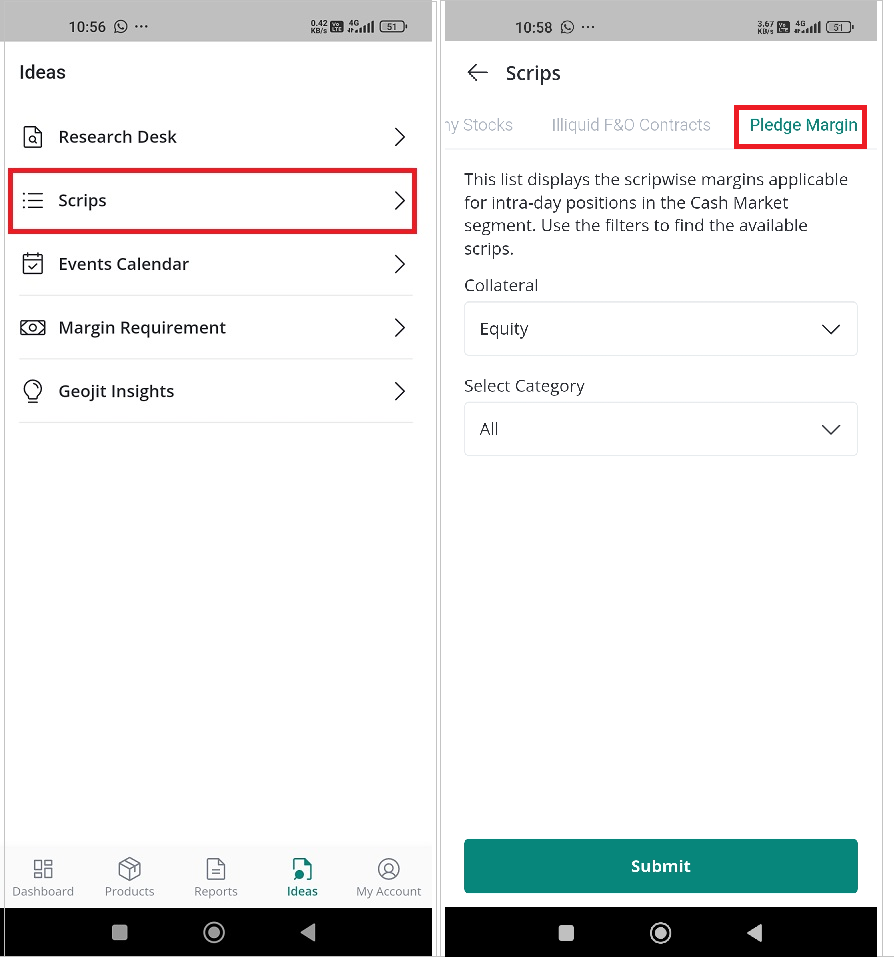
To know cash equivalent scrips/non-cash equivalent scrips:
* Find '**Ideas'** tab
* You will be provided with a list of options.
* Click on 'Scrips.'
* Select '**Pledge Margin.'**
* Select Collateral.
* Next, select category - choose between **cash equivalent scrips and non-cash equivalents.**
* **Click Submit,** and your preferred results will be displayed accordingly.
* You can also search for scrips from the given list using the search 🔍 bar.
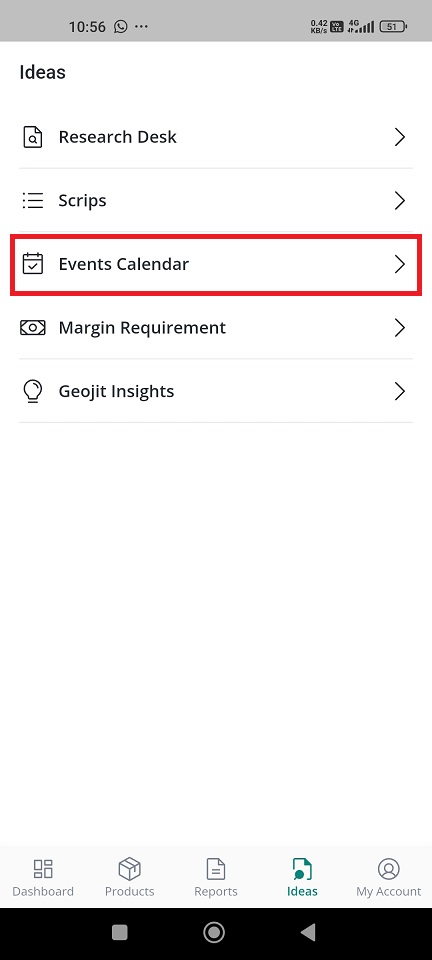
### How do I know about upcoming trading events?
Know the upcoming trading events/corporate actions like dividends, stock splits, and buybacks using this feature.
* Find '**Ideas'** tab
* You will be provided with a list of options.
* Select **'Events Calendar.**'
* You will be **navigated to the** [**calendar page in Flip.**](https://usermanuals.geojit.com/flip-web/more/calendar)
### How do I know the margin requirement?
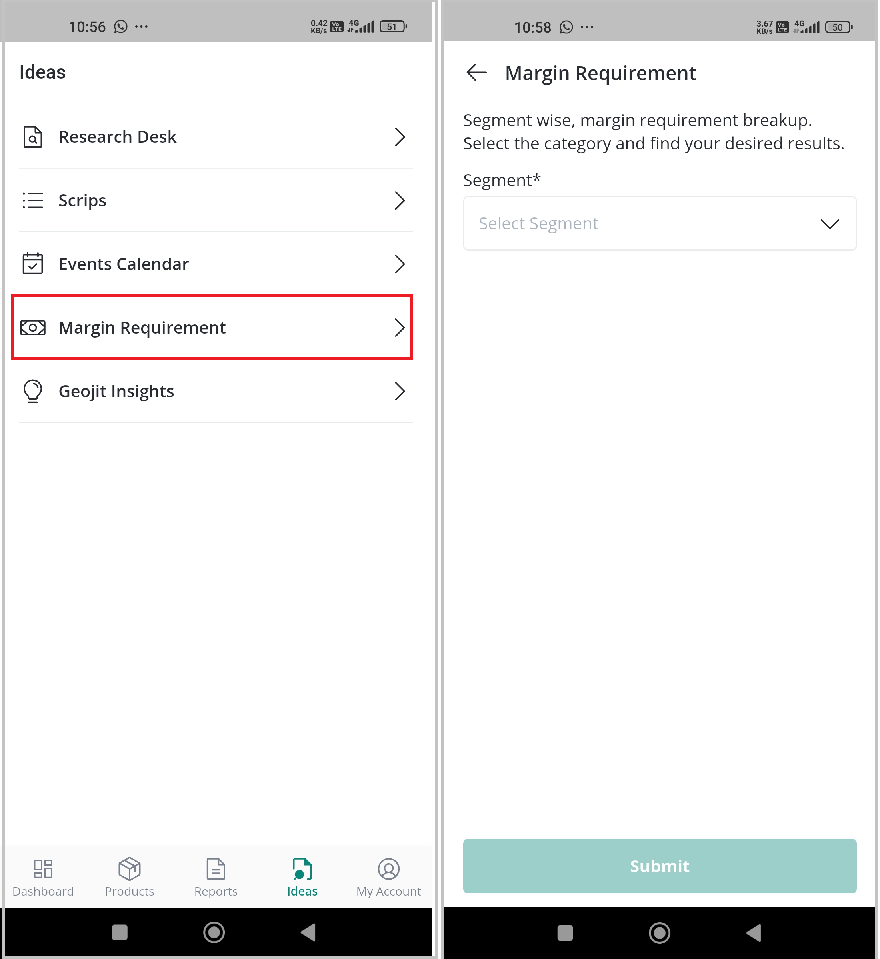
Know the segment-wise margin requirement breakdown here.
* Find '**Ideas'** tab
* You will be provided with a list of options.
* Select '**Margin Requirements.'**
* Choose **the segment** and **exchange**.
* Click on '**Submit**.**'**
* The results will be displayed.
* You can **search** for a specific symbol in the **search bar.**
* You can also **download the report** using the download button located at the right-hand side.
### How do I access Geojit Insights ?
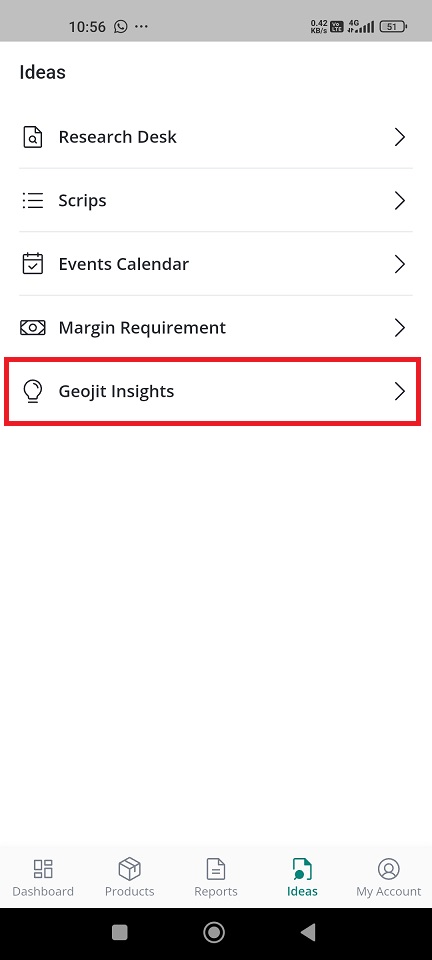
A comprehensive website offering research data, market insights, and expert articles on the stock market and wealth generation.
* Find '**Ideas'** tab
* You will be provided with a list of options.
* Select '**Geojit Insight**'.
* You will be navigated to its [**website**](https://insights.geojit.com/)**.**