> For the complete documentation index, see [llms.txt](https://usermanuals.geojit.com/llms.txt). Markdown versions of documentation pages are available by appending `.md` to page URLs; this page is available as [Markdown](https://usermanuals.geojit.com/fundsgenie-mobile/dashboard/start-a-new-sip.md).
# Start a New SIP
Understand projected SIP growth and start your investment with ease
This helps users understand potential returns from a Systematic Investment Plan (SIP) and invest effortlessly.
* Example shown:
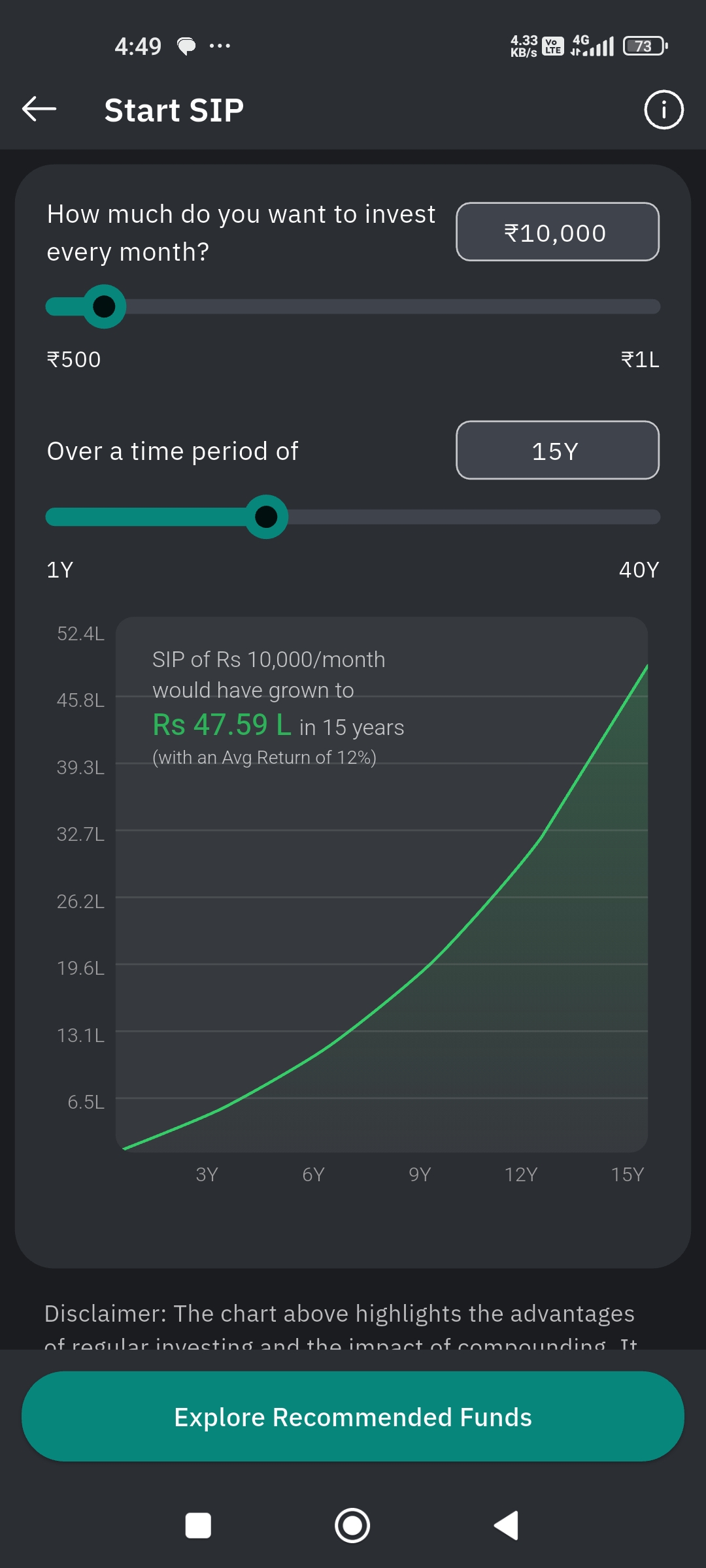
* **Investment**: ₹10,000 per month
* **Duration**: 15 years
* **Assumed Average Return**: 12% per annum
* **Projected Value**: ₹47.59 Lakhs after 15 years.
This means, a person's investment would have grown to 47.59 lakhs, if he/she has invested ₹10,000 per month for 15 years at 12% assumed average return per annum.
* The chart illustrates **compound growth** over time:
* X-axis: Time (3Y, 6Y, 9Y, 12Y, 15Y)
* Y-axis: Accumulated amount (starting from ₹6.1L up to ₹52.4L)
* The curve shows how returns accelerate due to compounding.
Now, you have understood the potential of an SIP. So let's start an SIP.
### How to Start a New SIP ?
* Launch the **FundsGenie app** and log in.
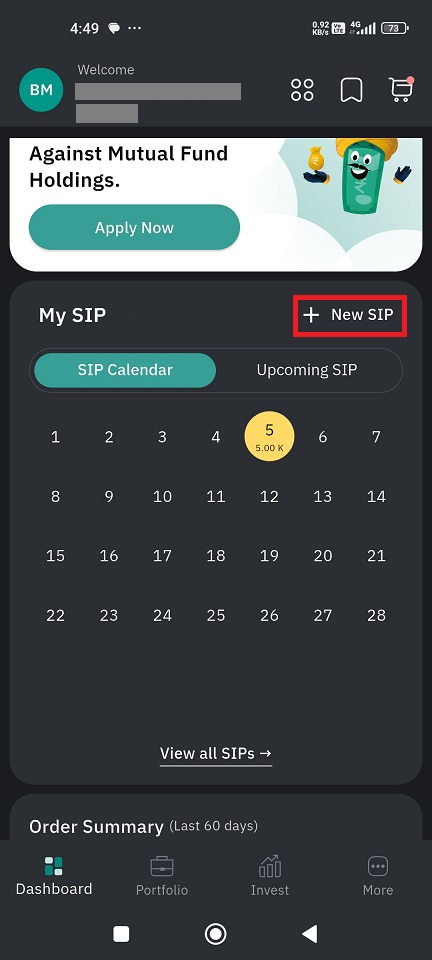
* On the **Dashboard**, locate the **My SIP** section.
* Click the **+ New SIP** button to begin the process.
* Use the slider or input box to set **how much do you want to invest every month**.
* Minimum amount: ₹500
* Adjust the slider under **Over a time period of** to choose your investment horizon. (Range: 1 Year to 40 Years )
* The app will display a **growth chart** and projected amount based on your inputs.
* Now you will get an idea on how an SIP work.
* To start an SIP, first tap Explore Recommended Funds to view mutual fund options suitable for your SIP.
* You can compare funds and select the one that matches your goals.
* After selecting a fund, proceed to confirm details.
* [**Complete the process and payment setup.**](https://usermanuals.geojit.com/fundsgenie-mobile/invest#how-to-invest-in-sip-one-time)
* Your SIP will be scheduled as per chosen frequency.