> For the complete documentation index, see [llms.txt](https://usermanuals.geojit.com/llms.txt). Markdown versions of documentation pages are available by appending `.md` to page URLs; this page is available as [Markdown](https://usermanuals.geojit.com/flip-mobile/security-page/history.md).
# History
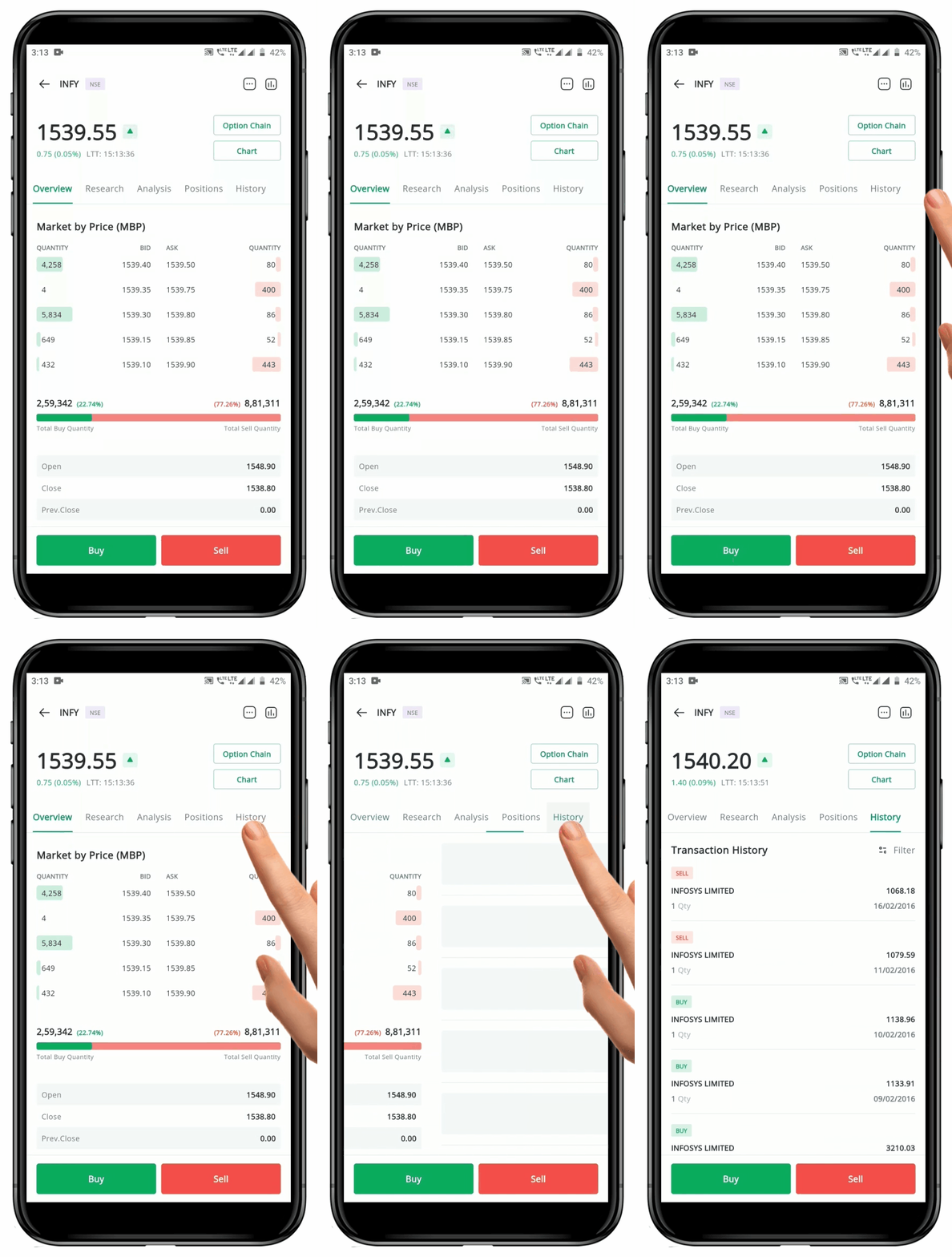
* The **"History"** tab on the Security Page shows a list of all your **Buy or Sell Transactions** for the selected security.
* This list includes both **Intraday** and **Delivery Positions**.
* Each transaction shows the **"Security's Name", "Average Buy/Sell Price", "Quantity Traded"**, and **"Date of Execution", Traded Price,** and **"Short Term"** or **"Long Term".**
* **"Short Term"** is represented by **"ST".** And if you hold a position *less than 365 days,* it will show as ST.
* **"Long Term"** is represented by **"LT".** And if you hold a position *more than 365 days,* it will show as LT.
* **Number of days** are shown since the day of Order Placement.
* If you have recieved any [bonus shares](https://support.geojit.com/support/solutions/articles/89000006702-what-is-a-bonus-issue-bonus-share-), that will also be displayed here.
**Please Note:** The applied Filter is autosaved. Click on the Reset Button to make changes to the already applied Filter.
### How to Filter History
To *filter* **History**, follow these steps:
* Go to the **"History"** tab in the **Security Page.**
* Click on the **"Filter" Icon** located at the top right-hand side of the tab.
* A pop-up with various **"Filter"** options will appear.
* You can **"Filter"** based on **"Date Range" or "Choose a particular Date", "Position Type"** and **"Product Type"** by clicking on the desired options.
* To apply the selected **"Filters"**, click outside the pop-up window.
* If any filter is applied the **"Filter"Icon**
located at the top right-hand side of the tab.
* A pop-up with various **"Filter"** options will appear.
* You can **"Filter"** based on **"Date Range" or "Choose a particular Date", "Position Type"** and **"Product Type"** by clicking on the desired options.
* To apply the selected **"Filters"**, click outside the pop-up window.
* If any filter is applied the **"Filter"Icon** will have a **Yellow Dot** on it.
* To change the existing filters, click on the **"Filter" Icon**
will have a **Yellow Dot** on it.
* To change the existing filters, click on the **"Filter" Icon** again and click on the **"Reset" Button.**